
Unable to 'Activate' ShopBack app in Shopify
If you are having trouble activating our ShopBack Payment App, please follow the steps by steps below to activate the app in your Shopify account.
- Uninstall and re-install the ShopBack payment app by clicking here: ShopBack Payment App
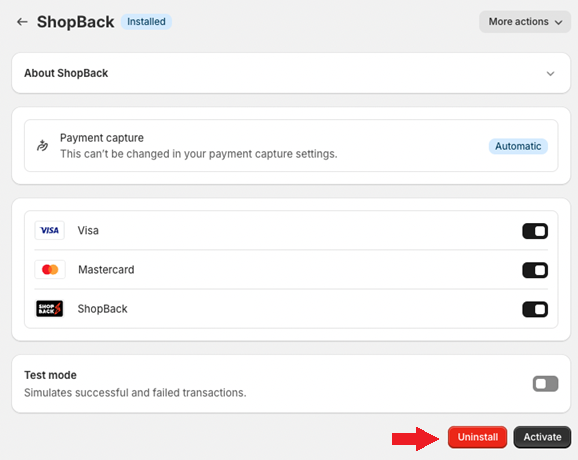
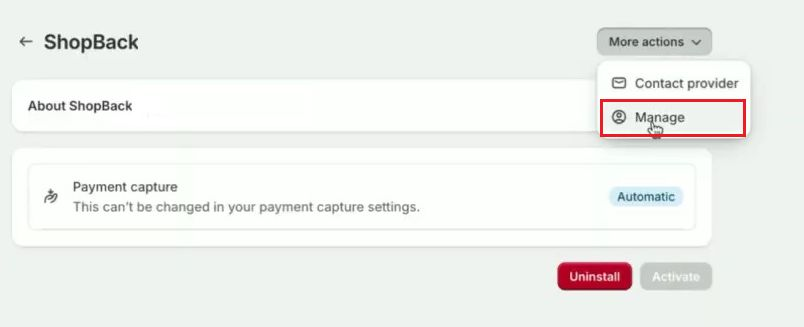
- Click on ‘More actions’ and choose ‘Manage’
-
Once you are redirected to this page, click on the ‘settings page’ link under Already Signed Up? section
-
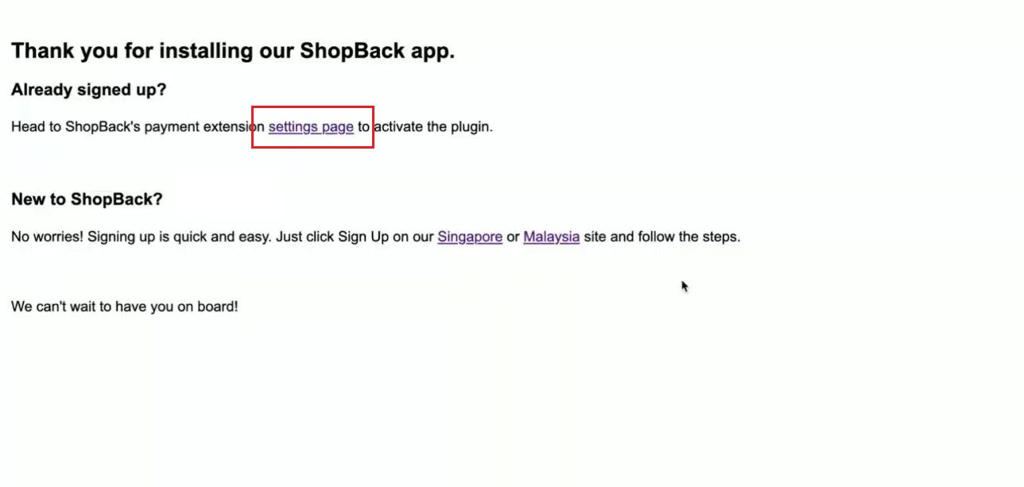
Once you are redirected back to our ShopBack payment app from Shopify payment setting page, you should be able to click on ‘Activate’.
Updated 5 months ago
What’s Next
If you are still facing any issue to activate the ShopBack payment app, please do not hesitate to reach out to the ShopBack Integration team via the email [email protected] to assist you further.
Did this page help you?